 Apex Overlays
Every number you need.
Nothing you don't.
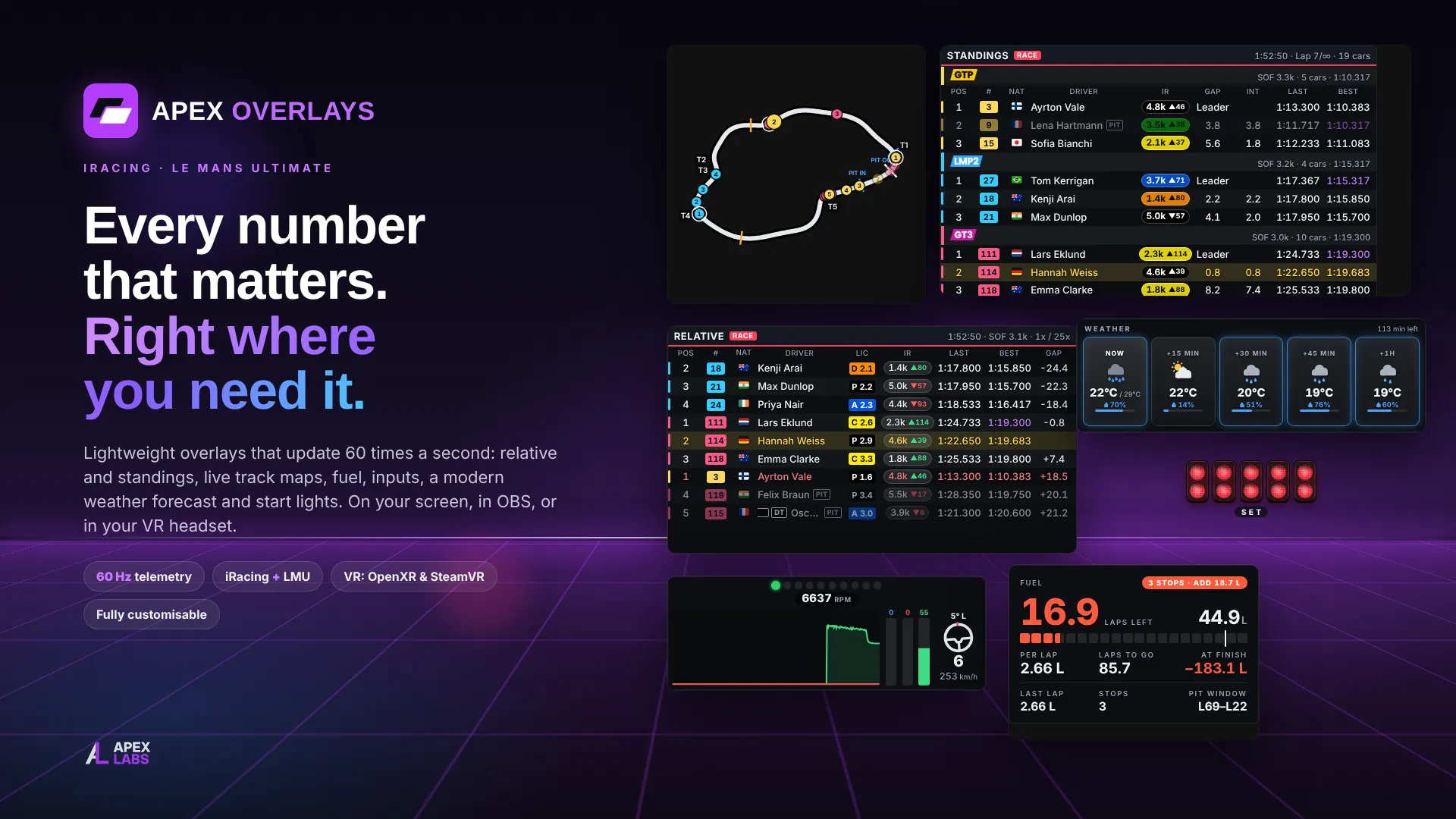
A lightweight, fully customisable overlay suite for iRacing and Le Mans Ultimate. It switches to whichever game you launch, reads telemetry at 60 Hz, and draws each overlay as a transparent, click-through window. The same overlays work as OBS browser sources, so your stream sees what you see.
Features
Race awareness
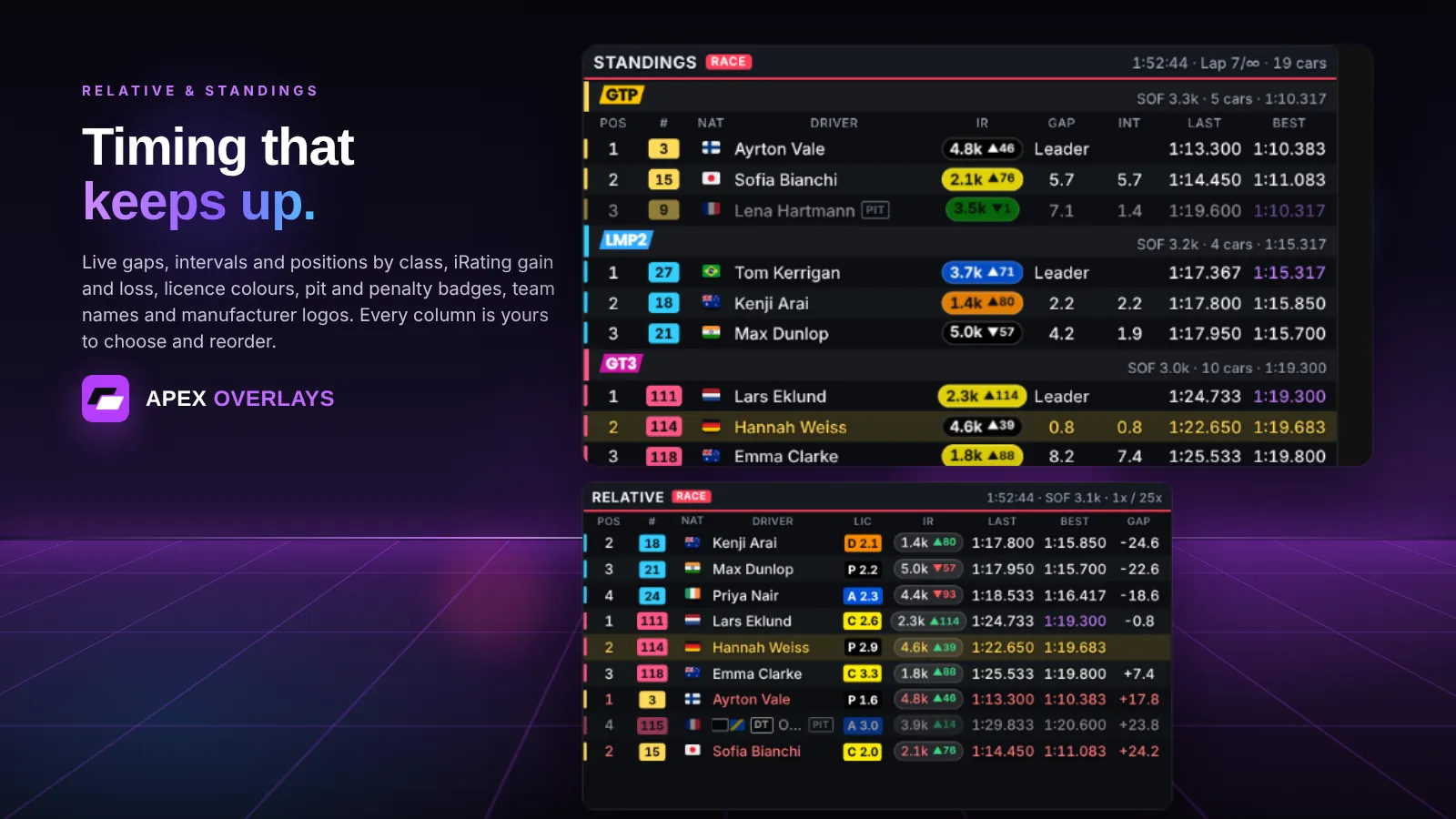
Relative, multi-class standings, battle box, spotter and radar keep you sure of who is around you and who is coming.
Know the track
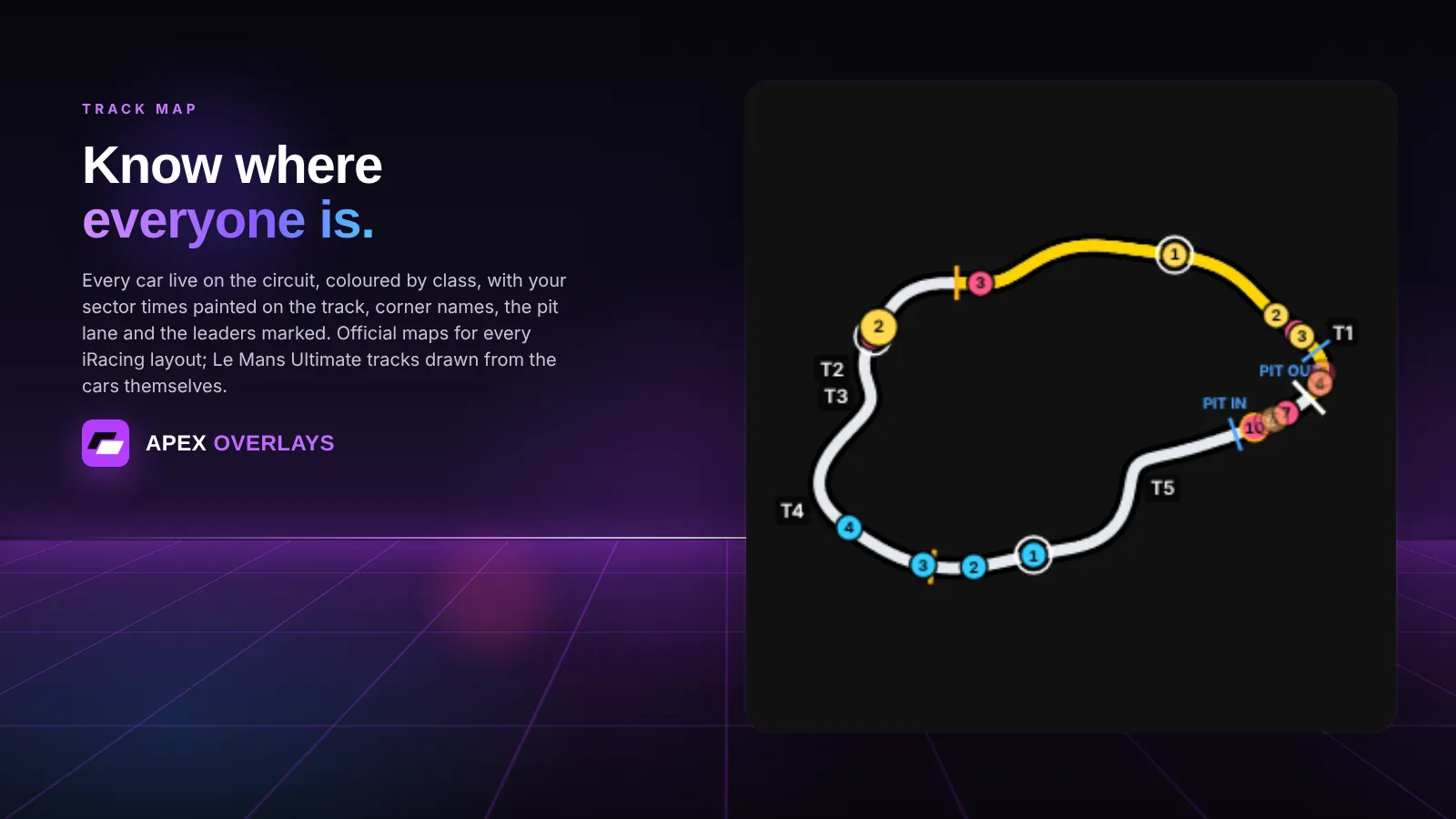
Track maps in full, flat or round styles, with corner names and sector colours.
Strategy at a glance
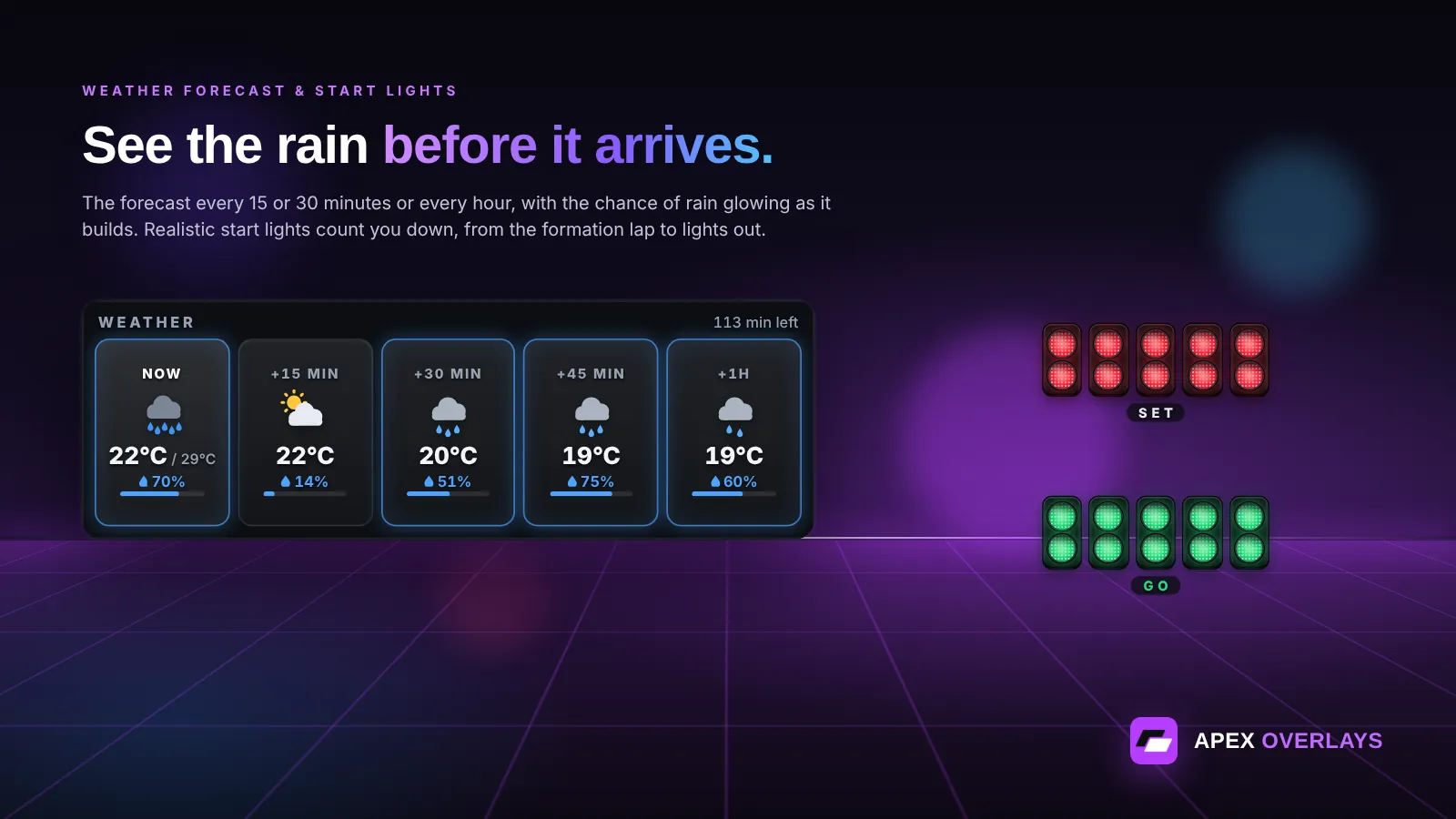
Fuel calculator, delta bar, tyre advisor for wet and dry, weather with forecast, and a pit lane assistant. Flags and start lights tell you exactly when to go.
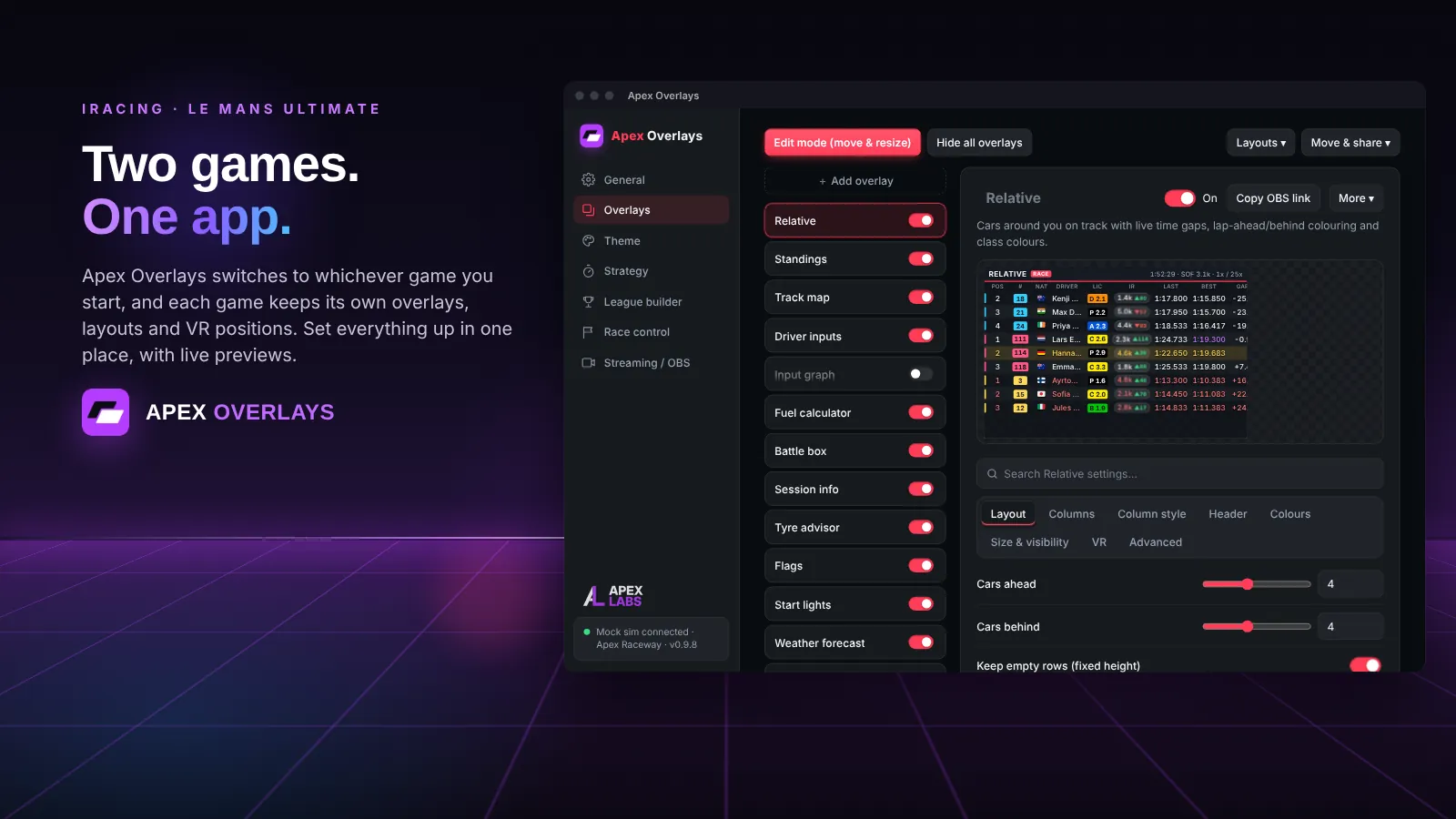
Two games, one app
Apex Overlays switches to iRacing or Le Mans Ultimate automatically, whichever you launch. Set everything up from one settings window.
And more
Built for every kind of driver
Driving feedback
Driver inputs with shift lights, flags and start lights, safety alerts, and an incident tracker that jumps straight to the replay.
Race in VR
An OpenXR layer draws your overlays inside iRacing, no SteamVR needed.
Make it yours
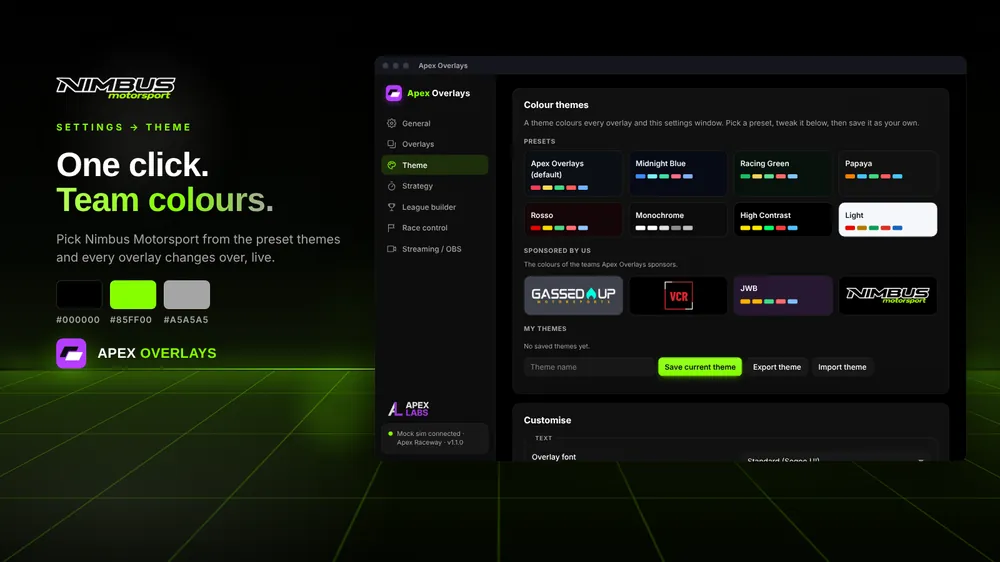
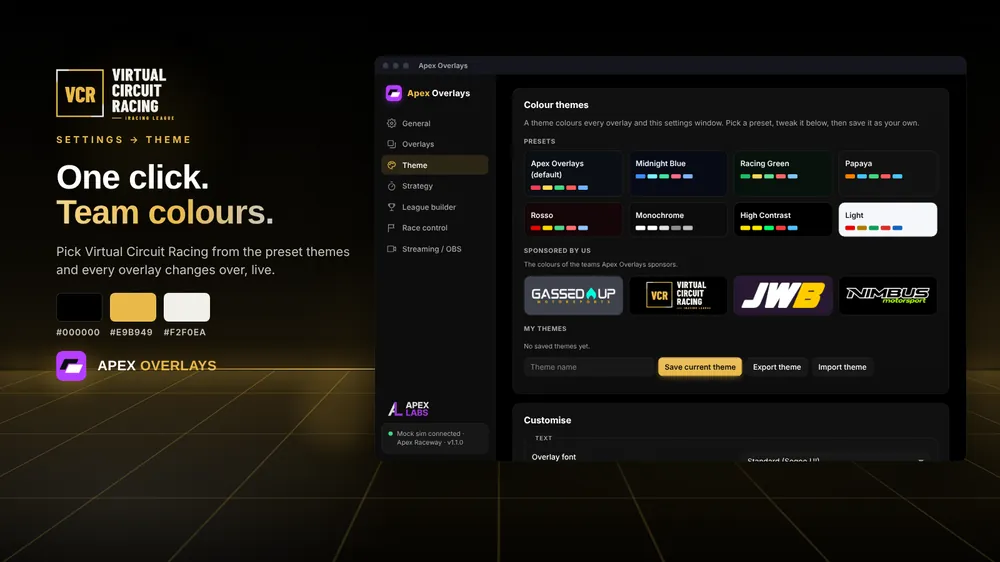
11 colour themes including official team themes, per-overlay custom CSS, and the Layout Market to browse and share community layouts.
Built for leagues
League and team builder with iRacing league import, points systems, and a live projected championship.
Made for streaming
Every overlay also works as an OBS browser source. Run the overlay server on a separate streaming PC if you like.
Light and fast
Telemetry is read 60 times a second by a native core, and the whole interface is about 100 KB.
20+ overlays
All the overlays
Turn on the ones you want, place them anywhere, and save your layout.
- Relative
- Standings
- Track map
- Driver inputs
- Shift lights
- Fuel calculator
- Battle box
- Flags
- Start lights
- Weather and forecast
- Delta bar
- Safety alert
- Spotter
- Pit lane assistant
- Incident tracker
- Tyre advisor
- Data boxes
- Radar (LMU)
- Tyre data (LMU)
- Virtual energy (LMU)
Themes
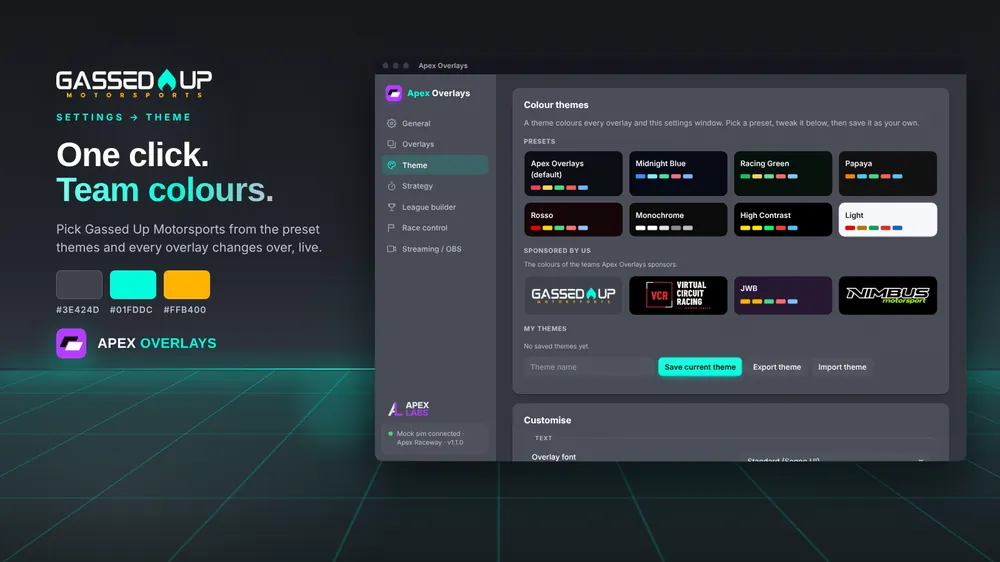
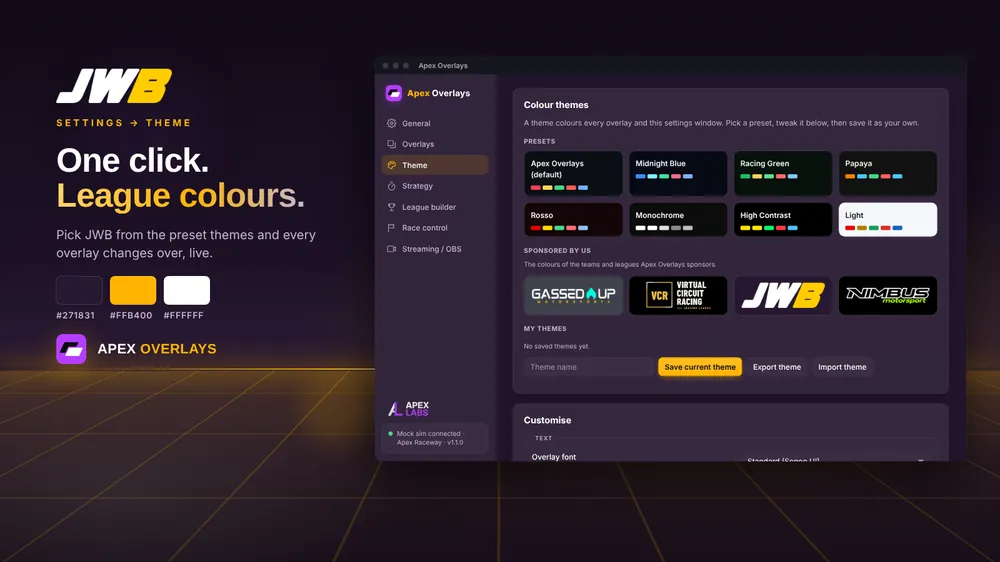
Race in your team's colours
11 colour themes, including official team themes for Nimbus Motorsport, VCR, Gassed Up Motorsports and JWB.
Questions
Which games does it support?
iRacing and Le Mans Ultimate. Apex Overlays notices which one is running and switches automatically.
Does it work in VR?
Yes. An OpenXR layer draws the overlays inside iRacing, with no SteamVR needed.
Can I use it on my stream?
Yes. Every overlay is also a web page you can add to OBS as a browser source. If you stream from a second PC, run apex-overlays-server.exe there.
Windows says it protected my PC. Is that normal?
Yes. The installer isn't code-signed yet, so Windows SmartScreen shows a warning the first time. Choose More info, then Run anyway. You can check every release on GitHub.
How do updates work?
The app checks for new versions itself and offers to update. You can also grab the portable build if you'd rather not install anything.
Do I need a licence key?
Not during early access: the app works without one. You can get a free Early Access key now by signing in with Discord. It works in both Apex apps, and paid plans will upgrade the same key later.
Free during early access
Installer or portable build, and it keeps itself up to date.